Nano Banana AI Image Generator for Creating and Editing

Turn a written idea into an image, or give an existing picture a new direction. Use Nano Banana on face in hole for text to image and image to image work, with the available model options and credit cost in one workspace.

Ref media

PNG or JPEG, up to 10 MB. Choose a recent upload or a generated image.

0/2000
Required Credits—

Nano Banana: from an idea to your next image

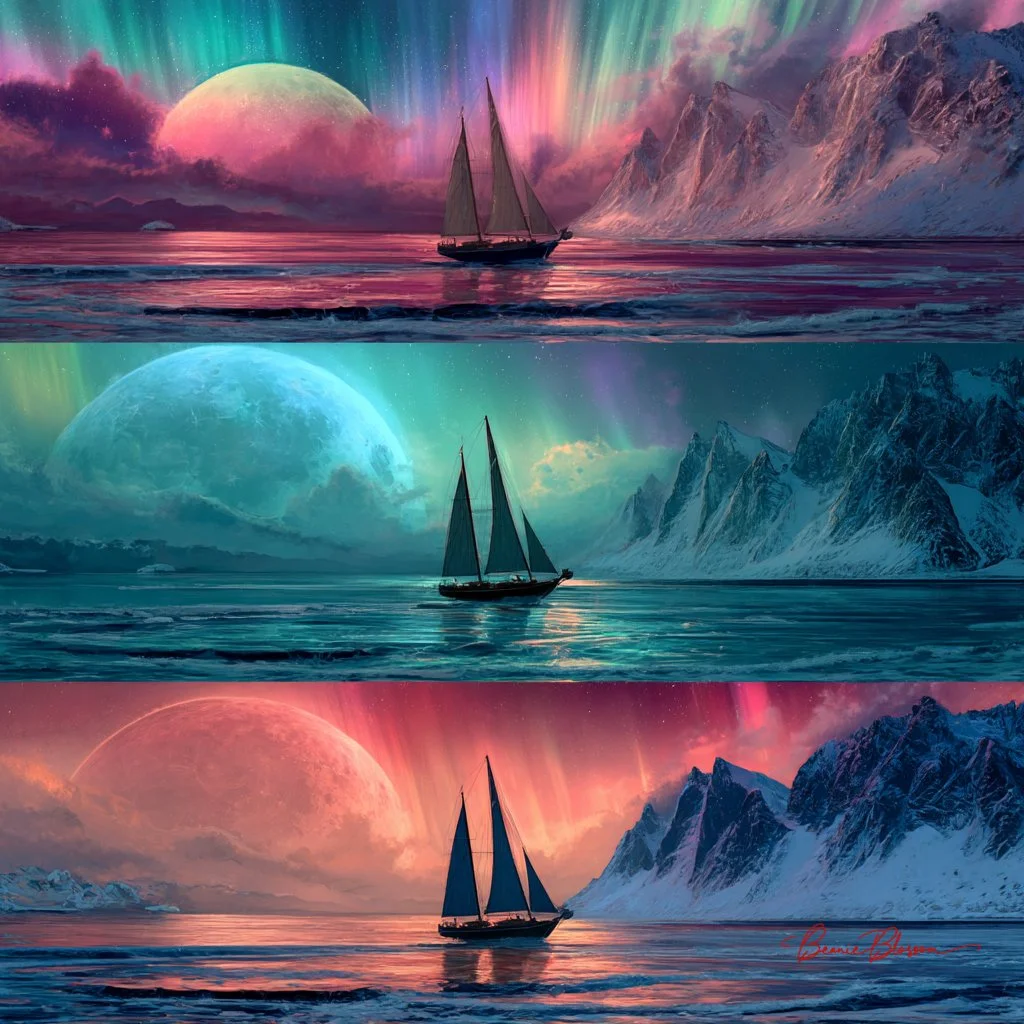
Three Different Fantasy Sailing Ships in Ocean
Published example · Nano BananaThree Different Fantasy Sailing Ships in Ocean
View prompt

Three different fantasy sailboats in the ocean, multiple scenes of beautiful aurora borealis and colorful moons with snowy mountains, a dreamy, fantasy landscape, in the style of digital art.

Open result

One model family, two starting points

Start with a description when you need a new visual. Switch to image to image when a photograph, sketch, or existing design should guide the next result. The reference and your written instructions work together; exact preservation is not guaranteed.

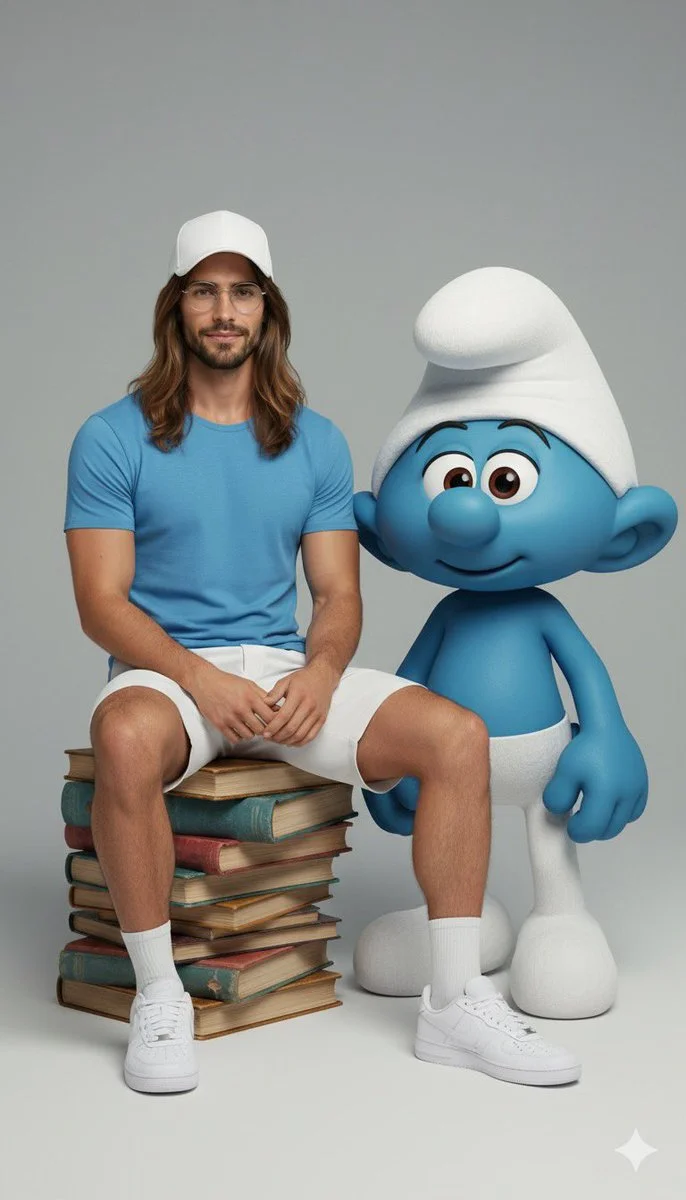
Hyper-Realistic Full Body Portrait with Character Interaction
Published example · Nano BananaHyper-Realistic Full Body Portrait with Character Interaction
View prompt

Ultra-realistic full-body portrait of the attached image. The person is interacting with {fictional character} in a {pose/interaction type}. Studio or neutral environment, soft cinematic lighting, {optional color palette}. The person wears {clothing style and colors}, The fictional character retains its original appearance, including skin color, clothing, and signature features. Expression and mood: {emotional tone}, captured in photorealistic textures, realistic lighting, cinematic composition, high fashion editorial quality.

Open result

Describe the edit in everyday language

Tell Nano Banana what to change and what to keep. A new backdrop, different lighting, or a material change is easier to assess when you ask for one clear adjustment. Compare fine details with the source before using the result.

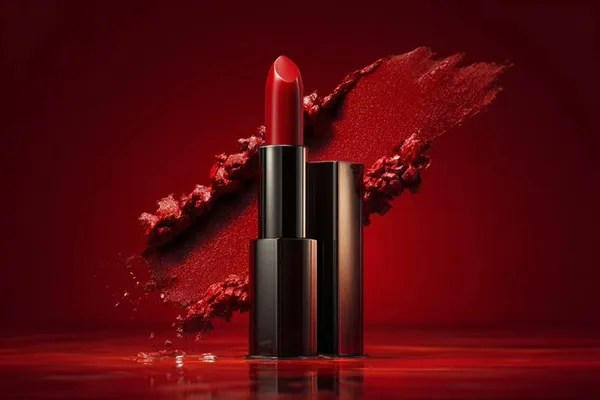
Product Studio Photography
Published example · Nano BananaProduct Studio Photography
View prompt

io shot of [PRODUCT], placed on a [background], surrounded by soft shadows and gradient background, high-key lighting, shallow depth of field, ultra-sharp focus on the object, premium product photography, shot on a DSLR, minimal aesthetic, subtle reflections, commercial lighting setup

Open result

Choose the available Nano Banana version

The model selector shows the versions enabled for this workspace. Each version has its own supported editing options, output settings, and credit cost. Select a version for your task rather than assuming every model has the same capabilities.

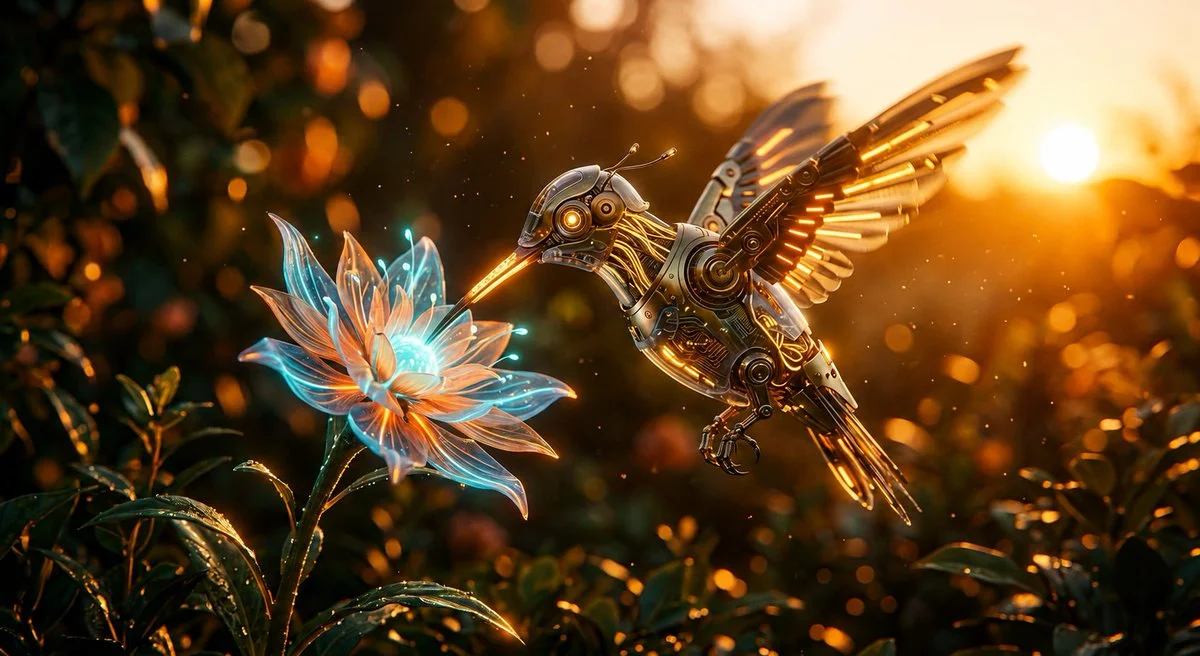
Cybernetic Hummingbird Macro Illustration
Published example · Nano BananaCybernetic Hummingbird Macro Illustration
View prompt

Create a cinematic macro scene of a small mechanical hummingbird hovering beside a glowing flower. Construct the bird from polished gold plates, copper filaments and tiny illuminated electronic details. Let the translucent petals emit cool cyan light while warm late-afternoon sunlight filters through the garden behind it. Capture the wings and metallic edges with crisp highlights, using a shallow depth of field to turn surrounding foliage into soft bokeh. Add a few floating dust particles and preserve the delicate proportions of a real hummingbird within the intricate machine design.

Open result

Develop a visual through comparison

Review composition, colors, lettering, and subject details after generation. Use the result to decide what your next instruction should address. For exact logos or typography, finish the final details in your usual design editor.

Nano Banana for your creative workflow

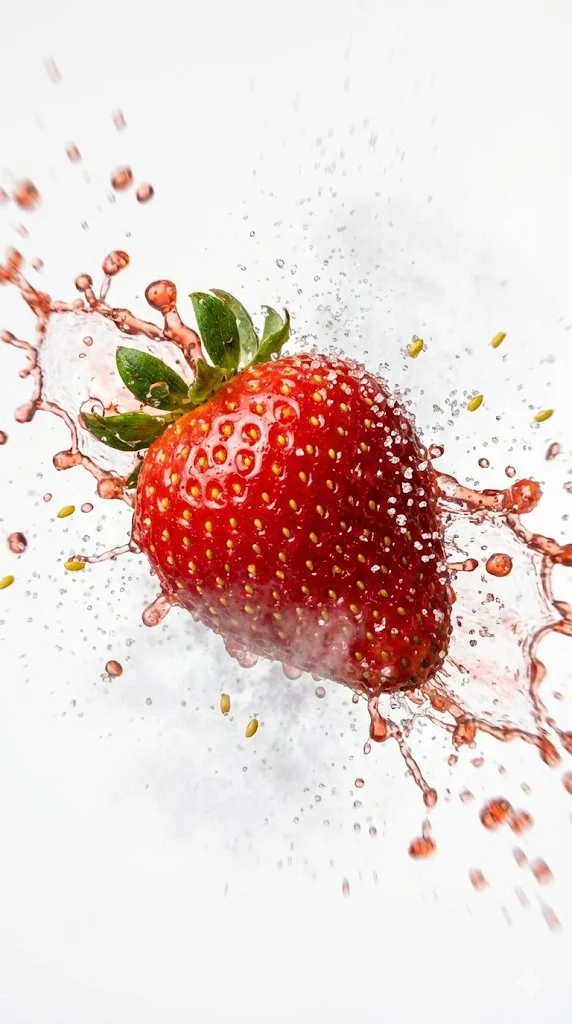
Food Macro Photo
Published example · Nano BananaFood Macro Photo
View prompt

Macro high-speed photography shot. Aspect ratio 9:16. Clean white studio infinity backdrop with hard rim light for texture emphasis. Canon EOS R5 with 100mm f/2.8 Macro lens. Sharp focus on crust details, shutter speed 1/8000s freeze motion. [INSERT INPUT SUBJECT HERE] as main snack component with extra crispy golden scales surface texture. Mid-air impact vibration physics with crunchy shatter effect. High density explosion particle system with spices and debris. Hot steam atmosphere, high-key warm golden color profile.

Open result

Product scene exploration

Use a product image to explore a seasonal backdrop or lighting direction. Name the product details to retain, then check labels, proportions, and colors against the actual item. Treat the result as a creative direction that needs your review.

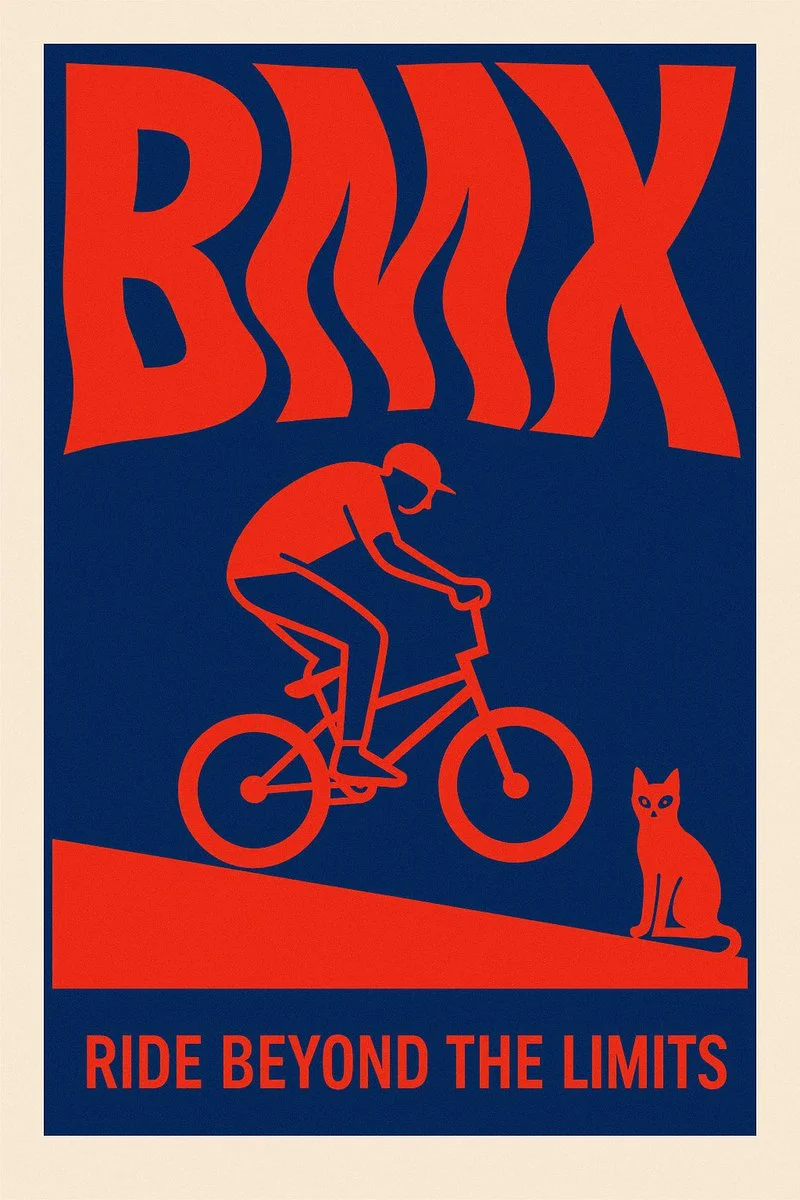
2D Word Poster Design
Published example · Nano Banana2D Word Poster Design
View prompt

Create a surreal 2D poster design based on the word “[KEYWORD]” — the layout should be dominated by kinetic typography where the word is visually shaped or distorted to reflect its meaning — integrate a symbolic flat minimal illustration that reinforces the concept — the style must be inspired by risograph print: only 2 bold contrasting colors (no gradients) — include a poetic, short quote that resonates emotionally with the keyword — background must be clean and minimal — composition must be vertical, with strong visual impact and artistic balance — the overall tone should feel cinematic, surreal, and graphic — ultra-sharp, high-resolution, no clutter

Open result

Social and campaign visuals

Describe the subject, setting, mood, and intended framing for a new image. Use a reference when an existing visual should guide the campaign. Refine the prompt around the placement of the subject and room for your final headline.

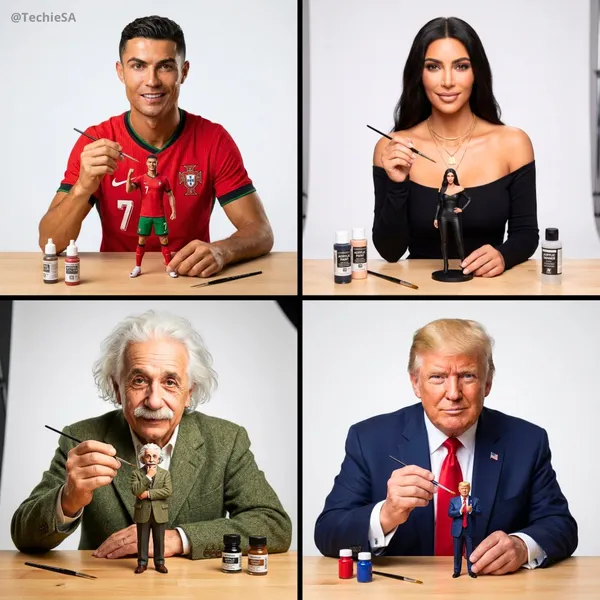
Artist Painting Miniature Self-Portrait
Published example · Nano BananaArtist Painting Miniature Self-Portrait
View prompt

te an image of this person as an artist painting a tiny miniature figurine version of themselves. The person is wearing their most iconic signature outfit, looking directly at the camera with a confident expression while holding a tiny paintbrush in one hand. The small action figure-sized version of themselves is prominently placed on a clean workbench in front of them - make the miniature slightly larger and more visible than realistic scale so it clearly stands out. The miniature figure is also wearing the same iconic outfit in a signature pose. Minimal art supplies on the workbench to avoid clutter - just 2-3 small paint bottles and one extra brush, keeping the focus on the person and their miniature. Soft neutral white background, professional studio lighting, shallow depth of field. The composition emphasizes the person’s face looking at camera and the miniature figure they’re working on. Clean, uncluttered, photorealistic style with high detail on both figures

Open result

Design concepts and illustrations

Turn a written brief into a visual concept, or use a sketch to guide an image to image variation. Compare styles and materials with a consistent instruction so the differences are useful in a creative review.

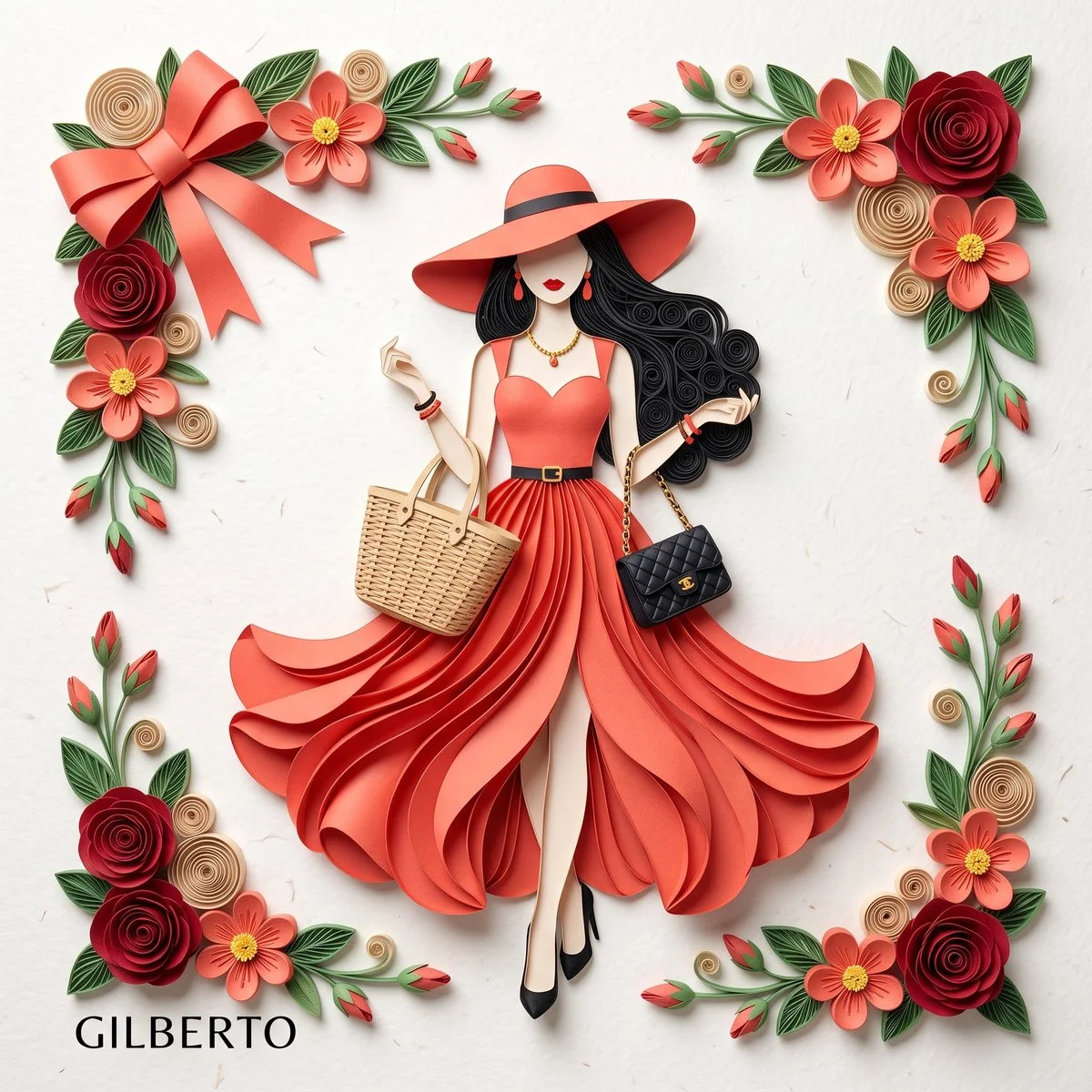
3D Paper Quilling Fashion Illustration
Published example · Nano Banana3D Paper Quilling Fashion Illustration
View prompt

3D paper quilling and layered paper craft art of an elegant fashion illustration, flat lay on clean off-white textured paper with soft overhead studio lighting and drop shadows. Center stylized woman from layered cut paper wearing striking coral-red sleeveless dress with sweetheart neckline, thin black waist belt gold buckle, dramatically layered flowing petal skirt high slit. Matching wide-brimmed coral-red sun hat thin black band, long voluminous black quilled hair soft curls, minimalist faceless with red lipstick, dangling red drop earrings, black pointed heels. Holds woven beige wicker tote and small quilted black handbag. Framed by intricate quilled paper florals: deep red roses, coral five-petal flowers yellow centers, beige spirals, green leaves, red buds. Top-left large elegant coral-red folded paper bow.

Open result

Photo style experiments

Explore a different setting or visual treatment around a familiar image. Make the requested change specific and check the identity and details of the subject. Keep the original so you can compare or return to it.

How to use the Nano Banana AI Image Generator

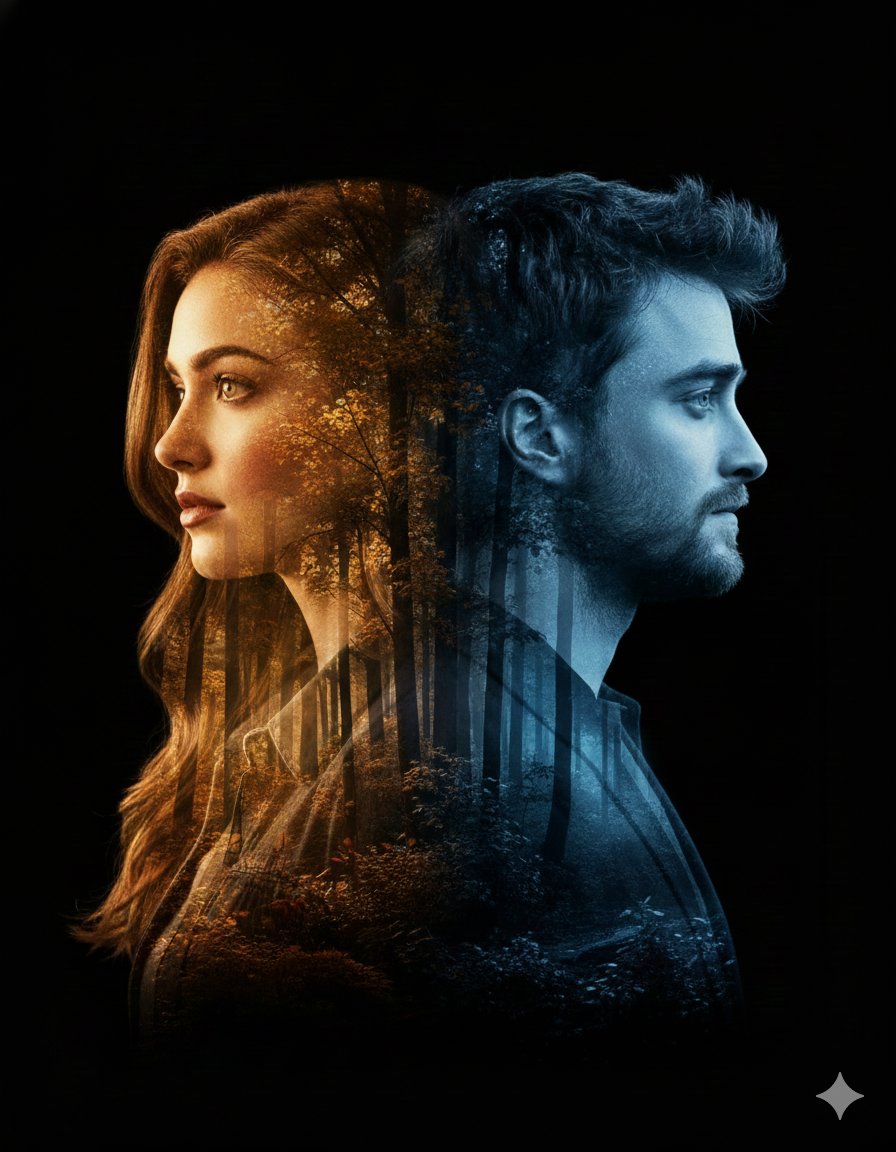
  1. Cinematic Double Exposure Poster Design
    Published example · Nano BananaCinematic Double Exposure Poster Design
    View prompt

    nematic double-exposure portrait featuring a woman in profile on the left and a man in profile on the right, both turned away from each other. Their silhouettes, including detailed facial features and hair outlines, blend seamlessly into a dense forest landscape with an artistic, modern pattern. The woman's side glows with warm golden autumn hues, while the man's side is illuminated by cool, serene blue tones. Soft rays of sunlight filter through the trees, adding depth, contrast, and emotional atmosphere. Smooth, natural lighting transitions and a clean black backdrop. Modern, artistic, emotionally expressive poster aesthetic. Bold title text at the bottom: 'Ai Queen is Here…'. cinematic. double exposure. high-detail. artistic poster. emotional. clean black backdrop. soft sun rays, warm vs cool contrast. woman profile left, man profile right, both facing outward. smooth transitions between silhouettes and forest landscape. high contrast artistic glow. poster-quality finish. Ai Queen is Here…. 3:4

    Open result

    Choose text or a reference

    Select Text to Image for a new image from a written prompt. Select Image to Image and add a supported reference when you want to build on an existing picture. Choose an available Nano Banana model.

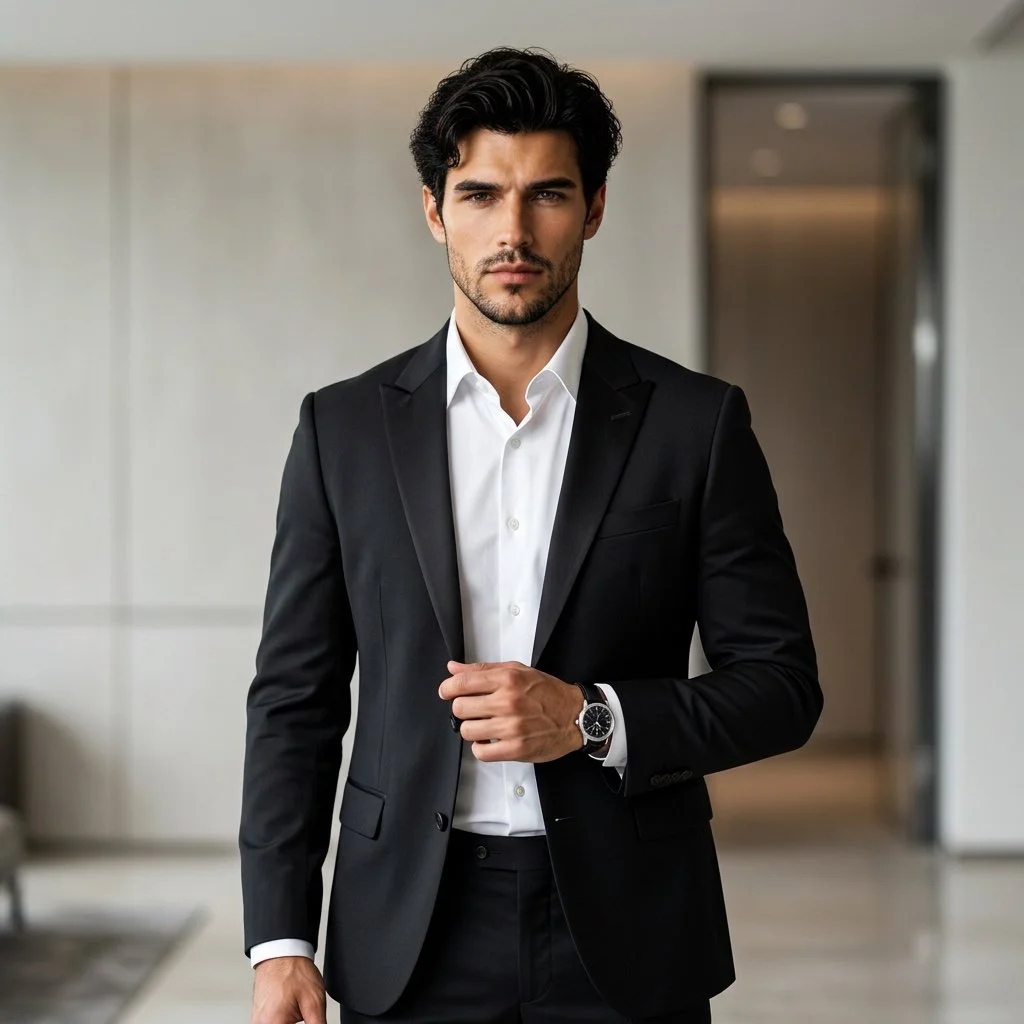
  2. Formal Professional Studio Portrait
    Published example · Nano BananaFormal Professional Studio Portrait
    View prompt

    Using an uploaded adult portrait as the identity reference, create a professional fashion photograph in a modern interior. Dress the subject in a fitted black suit and crisp white shirt, with understated accessories. Pose them standing confidently with relaxed shoulders, one hand near the jacket and a natural direct gaze. Preserve the reference facial structure, skin tone and age. Use soft directional lighting, gentle background blur and subtle architectural details. Keep the eyes sharp and the fabric, hair and skin realistic for a refined formal portrait.

    Open result

    Describe the result and check settings

    State the subject, composition, lighting, and style. For an edit, explain what should change and what should remain. Choose the settings offered by your model and review the credit cost before submitting.

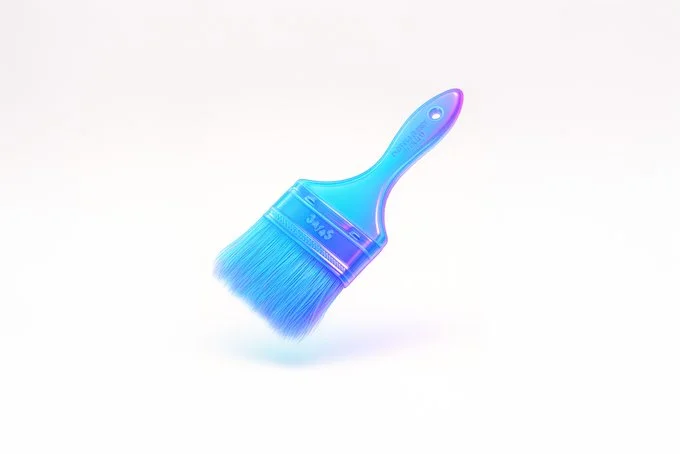
  3. Floating Glass Neon 3D
    Published example · Nano BananaFloating Glass Neon 3D
    View prompt

    retexture the image attached based on the JSON below: { "style_name": "Floating Glassy Neon 3D", "retexture_mode": "shape_lock", "object_analysis": { "preserve_silhouette": true, "geometry_sensitive_mapping": true, "detail_retention": "maintain contours, volumes, and layering" }, "material_properties": { "base_material": "translucent neon glass-gel", "surface_finish": "semi-gloss with soft glow edges", "transparency": "high, with soft light refraction", "refraction": "gentle bend with subtle halo on curves", "embedded_effects": "internal light scatter and edge neon glow", "color_blend": { "primary": ["aqua", "electric blue", "neon violet"], "gradient_direction": "top-left to bottom-right", "transition_smoothness": "very smooth" } }, "lighting": { "type": "softbox HDRI", "intensity": "soft and bright", "source_direction": "overhead and slightly front", "highlight_behavior": "gentle bloom with glass sparkle" }, "shadow_behavior": { "type": "floating contact shadow", "appearance": "extremely soft, blurred ellipse", "opacity": 0.07, "distance_below_object": "moderate", "color": "neutral gray" }, "background": { "type": "solid color", "color": "#ffffff", "glow_effect": "none", "gradient": "none" }, "rendering": { "depth_of_field": "subtle with slight vignette", "focus_point": "center of floating object", "ambient_occlusion": "minimal to preserve light feel", "render_engine": "3D stylized with light diffusion and high specular detail", "camera_angle": "slightly above object, frontal", "resolution": "very high for product branding" }, "special_effects": { "floating_behavior": true, "visual_weightlessness": true, "shadow_softness": "maximum" } }
    Open result

    Generate, compare, and refine

    Sign in to submit your request. Review the completed result in your history, compare it with your brief or reference, and use a more specific instruction for the next variation. Open or download the result through the existing asset controls.

Write a clearer Nano Banana prompt

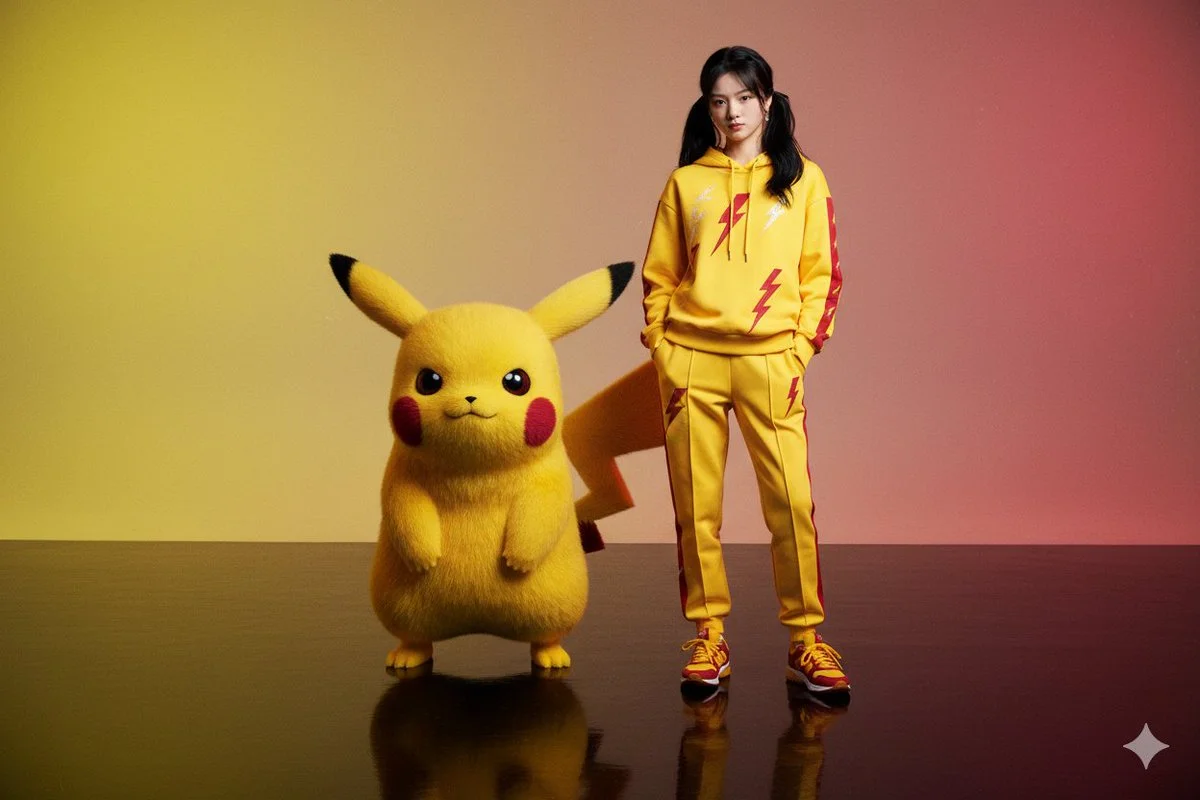
Character with Pokémon
Published example · Nano BananaCharacter with Pokémon
View prompt

Create a hyper-realistic editorial portrait of a person, generated from the provided image (same face 100%, same hairstyle, expression preserved). The subject stands confidently on a reflective glossy floor wearing a coordinated bright yellow and crimson outfit (hooded jacket or sweatshirt and tailored joggers) with lightning bolt-inspired linework and subtle embroidered electric motifs running along sleeves, chest and pant seams. Matching crimson and yellow sneakers complete the look. Beside the subject stands a large Pikachu-like creature, scaled to be equal to or taller than the person, with realistic textured fur and a vibrant palette of electric yellows and deep crimson accents that echo the clothing. Background is a moody electric yellow to deep crimson gradient that enhances the vibrant palette; both subject and creature are clearly reflected on the floor. Lighting uses dramatic warm key light and sculpting rim light to emphasize skin, fur and fabric detail, cinematic shallow depth of field, slight film grain for editorial grit, photoreal creature integration, ultra-detailed 8K quality.

Open result

Subject and composition

Begin with the subject and where it belongs in the frame. Include the background and lighting that matter to the image. A clear description gives you a useful basis for assessing the result.

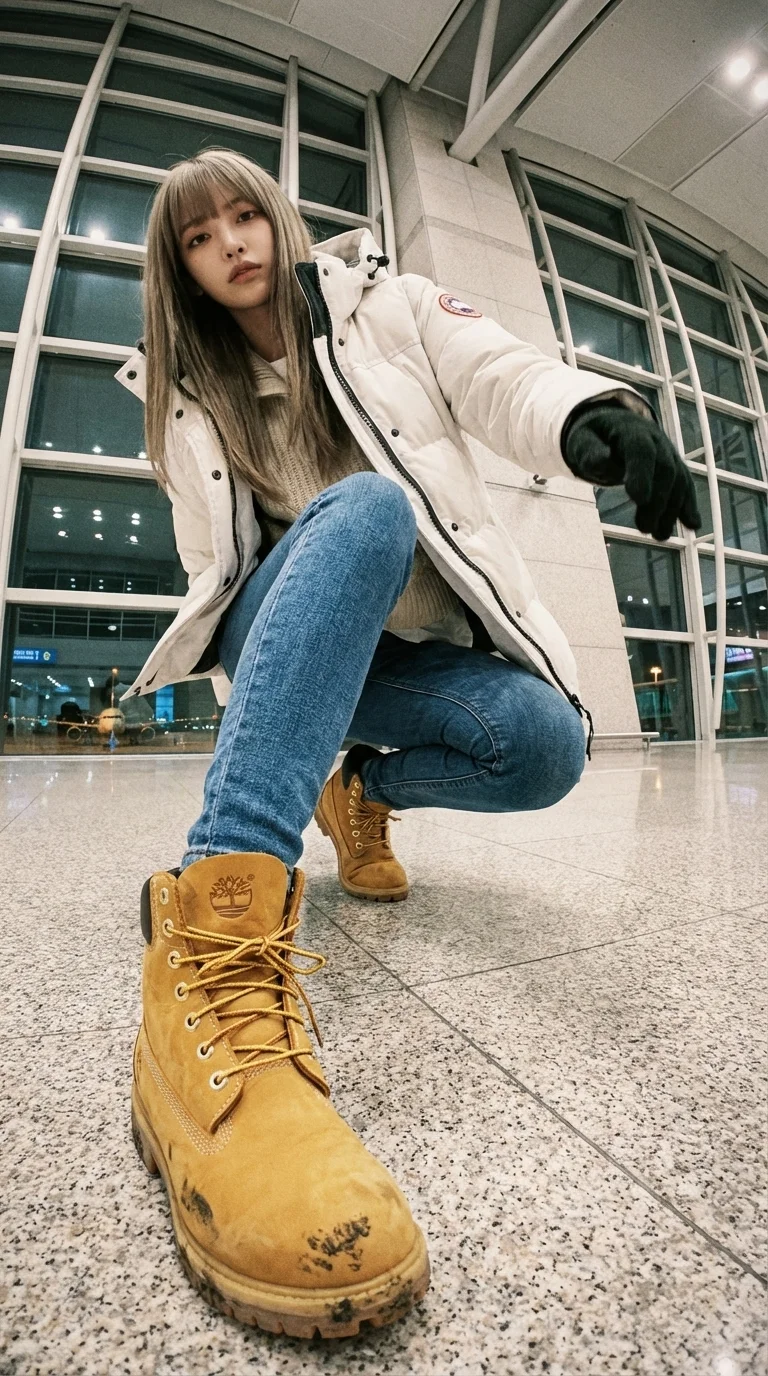
Ultra Wide-Angle Edit - Keep Same Person + Same Location
Published example · Nano BananaUltra Wide-Angle Edit - Keep Same Person + Same Location
View prompt

A WIDE-ANGLE EDIT — KEEP SAME PERSON + SAME LOCATION. This is an EDIT of the original image, NOT a new character. IDENTITY: – Same face, same hairstyle, same body proportions. – Same outfit design: white Canada-Goose-style puffer jacket (fluffy hood), layered knitwear, slim-fit blue jeans, Timberland wheat-yellow boots. Winter airport-celebrity style. LOCATION: – Same airport terminal as original. Same materials, glass walls, lighting, floor texture, architecture. – Expand environment logically from new angles (runway lights, distant planes). Do NOT move to a different place. CAMERA / LENS: – Ultra wide-angle or fisheye (12–18mm feel). – Dramatic angle REQUIRED: worm's-eye, bird's-eye, low angle, high angle, Dutch tilt. – Strong foreshortening: body parts near lens appear HUGE; rest of body recedes. POSE: – Dynamic, stylish, complex pose. Fashion or street-photo energy. – 1–2 (sometimes 3) body parts VERY close to lens: hands, fingers, boots, knees, face, shoulders. – Near-lens parts show distortion + texture detail. VARIATION: – Each edit must change camera angle, pose type, and which body parts are closest. – No repetition of identical compositions. LIGHTING: – Keep same lighting mood as original airport scene (soft overhead indoor light). – Photorealistic. No anime. No illustration. STRICT RULES: – Do NOT change person. – Do NOT change outfit type. – Do NOT change location. – No text, no logos, no graphic elements. GOAL: Create a photorealistic, dramatic, ultra wide-angle remix of the original, with extreme angle + near-lens body parts + same person + same airport environment. REFERENCE (original): photograph of the woman in white Canada-Goose-style puffer jacket, knitwear, slim-fit jeans, Timberland boots, inside an airport terminal with glass facades, soft indoor light, runway lights visible; gritty lo-fi film mood; airport telephone booth with receiver and green coiled cord.

Open result

Change and keep

For image editing, separate the change from the details you want to preserve: “Place the ceramic cup on a wooden desk. Keep its blue glaze and handle shape. Add soft window light.” Review those details after generation.

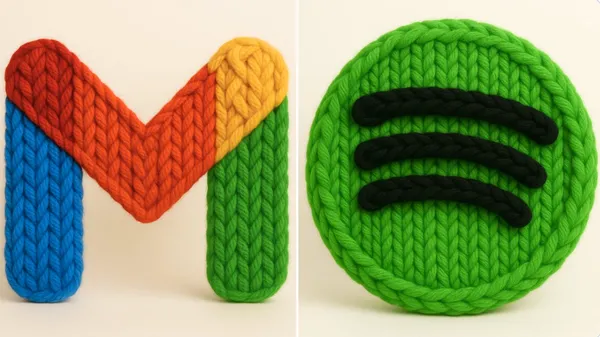
Handmade Yarn Texture
Published example · Nano BananaHandmade Yarn Texture
View prompt

un render 3D fotorrealista de este logo hecho con hilo grueso y tejido a mano. El hilo debe parecer suave, esponjoso y de gran tamaño, con patrones visibles de tejido como bucles, giros y trenzas. Usa colores brillantes y saturados, estética cálida. Resalta la textura de las fibras, la suavidad del material y el acabado artesanal. Iluminación de estudio suave. Fondo blanco o crema limpio. El logo debe estar centrado y sin elementos adicionales. Cuadrado.

Open result

Refine one decision

If the result is close, narrow the next request to one issue, such as softer shadows or a simpler backdrop. Changing the style, framing, and subject together makes it harder to tell which instruction helped.

Nano Banana questions, answered

Does the Nano Banana AI image generator support both modes?

This page uses the Nano Banana model family for text to image and image to image. Editing is available when the selected version has an enabled editing option. The generator shows the modes and settings supported by your selection.

What reference image should I use?

Choose a clear image that shows the subject and framing you want to guide the edit. Use the media picker to upload a supported image or choose an existing asset. Follow the file requirements shown there.

How do I change an image without changing everything?

Describe the specific adjustment and name the details to keep. Use the original as a reference and compare the result carefully. Faces, lettering, product geometry, and colors may still change.

Which sizes and resolutions can I select?

Available output options depend on the selected Nano Banana version and its active configuration. Use the options displayed in the generator; an option offered by another version is not automatically supported by yours.

How many credits does generation use?

The generator displays the credit cost for the selected model and settings before submission. Review that amount each time you change an option. See the pricing page for available plans and credit purchases.

Where can I find my generated images?

After signing in, open the history tab or your Assets page to review completed generations. The existing asset controls let you inspect and download a result. You can use a supported image as a reference for a new editing request.

Make your next image with Nano Banana

Bring your idea to face in hole, choose your starting mode, and review the available settings before generating.

Create with Nano Banana