AI Short Hair Filter: Direct the Crop Like a Camera Choice
Build a short-hair portrait edit
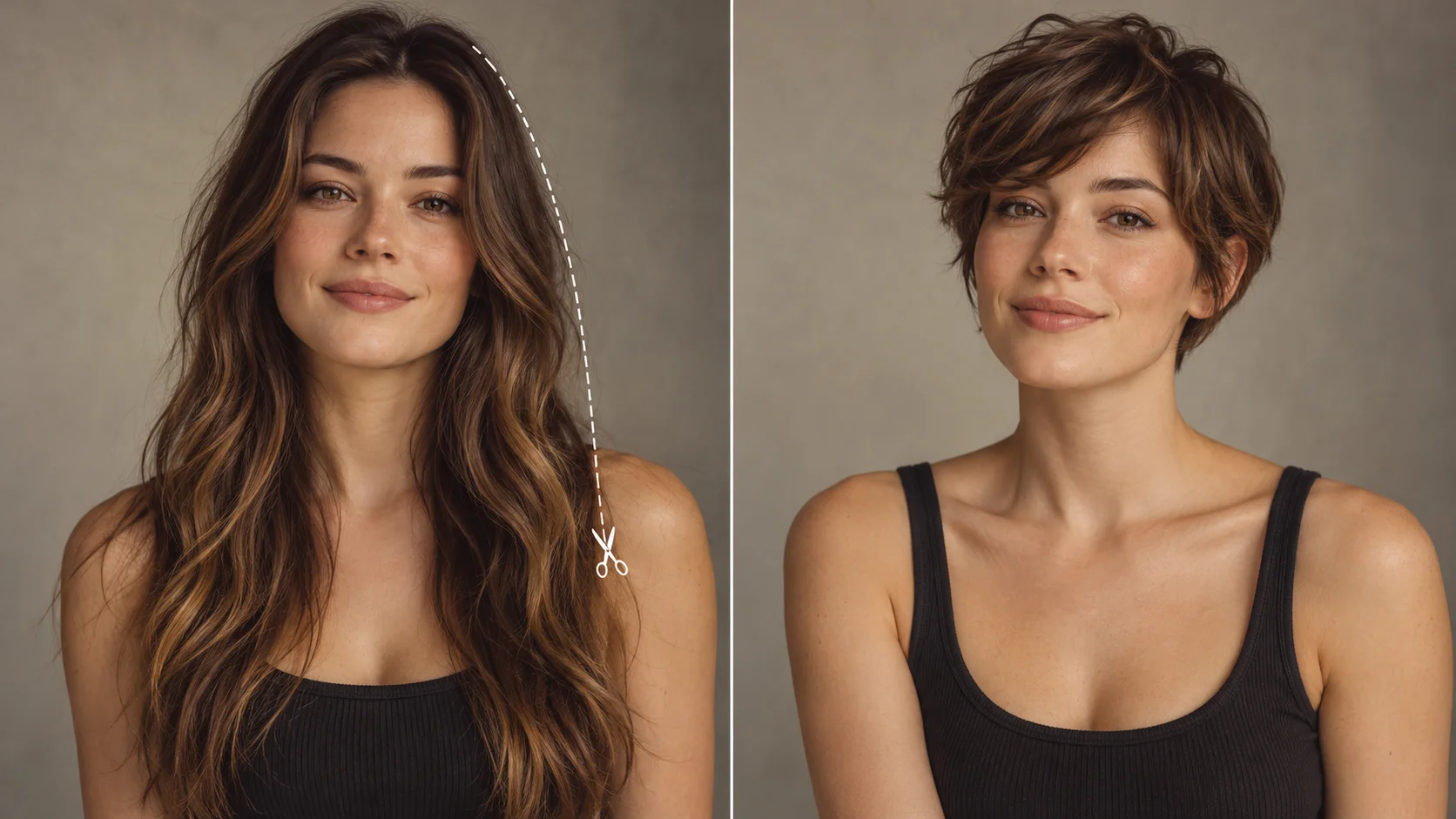
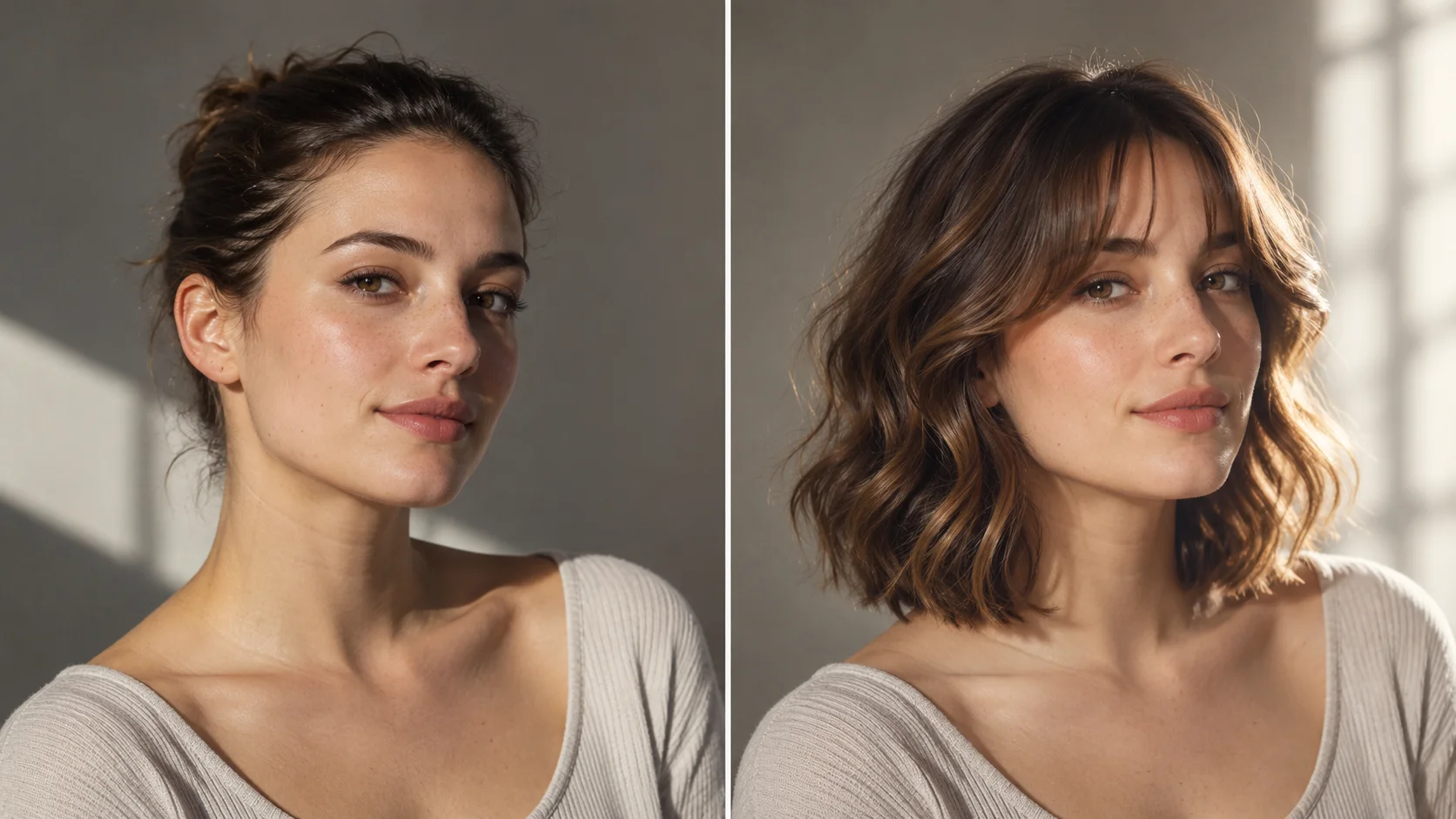
One reference portrait and a precise short-cut description establish the comparison.
History
The answers before you start
What does this tool make? The AI Short Hair Filter helps you inspect a shorter haircut on the same portrait. Choose a pixie, crop or bob and describe the fringe, ear coverage and finish instead of asking only for “short hair.”
How do I start? Choose Image to Image for a photograph-led edit, upload the reference and describe one specific change. Text to Image starts from words and needs no uploaded image.
Which photo should I upload? Pick a sharp adult portrait with the complete scalp, ears, jaw and upper shoulders visible. Avoid heavy shadow at the temples. The outline around the head matters when long hair is replaced by a shorter cut.
Can I try it for free? You can read the guide and prepare the description before submitting. A generated image uses the quoted credits. Check your available balance and any current offer in the generator or Pricing before choosing to run it.
How much does a result cost? Use the live quote beside the generation action for this image. Changing the model or output settings can change that quote, so read it again before each new request.
When can I see the result? After submission, open History to follow the task. Queue demand, model and output settings affect completion. Preparing a photo or editing the description alone does not start a task.
The AI Short Hair Filter helps you inspect a shorter haircut on the same portrait. Choose a pixie, crop or bob and describe the fringe, ear coverage and finish instead of asking only for “short hair.” Use the nearby generator to prepare a focused version, then compare the result with your reference.
One reference portrait and a precise short-cut description establish the comparison.
1
Upload the portrait
Start with a clear adult portrait. A front or slight three-quarter view shows jaw and neck best. Flat lighting helps. Keep the background uncluttered if you want it preserved. Write a short note in the prompt about the haircut family you have in mind, and state what must stay unchanged.
2
Set the direction
Choose the haircut language: pixie, bob, cropped fringe or textured cut. Adjust the model controls you need. Rewrite the prompt like a shot note — lens feeling, headroom, light direction. Keep the face and hair color instructions explicit. Read the live credit quote before you commit to a job.
3
Generate and review
Run the job, then open History. Compare the output against your original framing. Check the hairline, ear placement and nape against the head shape. Note what worked in the prompt and what pulled focus. Iterate with one change at a time so you can tell which instruction moved the result.
Keep the important details readable
Check the ear nearest the camera, the new neckline and the transition from fringe to forehead. Keep the original portrait beside the result to spot unintended facial changes. For this direction, explicitly retain face shape, expression, original hair color and the surrounding scene.
Where this helps
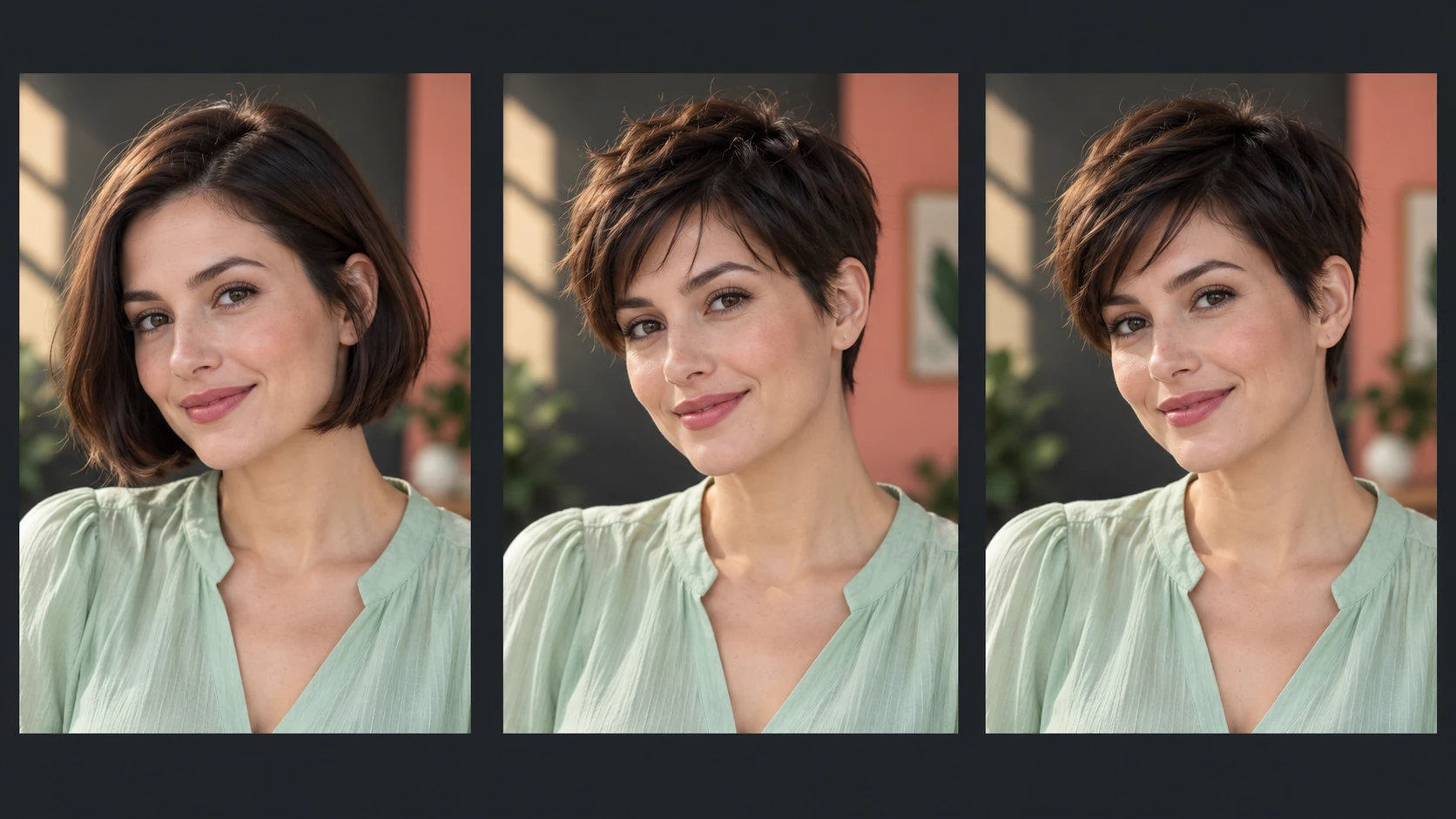
A bob, crop and pixie offer different shapes even when each is described as short.
Casting conversation
A client is deciding between a chin-length bob and a cropped fringe. Render both on the same portrait, same light, same background. Put them side by side and discuss jaw line and neck length in concrete terms rather than adjectives.
Editorial mood board
Build a short-hair reference set for a shoot. Vary headroom and angle across three renders to show the photographer how the crop reads at close range versus a wider frame. Label each as a visual try-on, not a final look.
Character development
A writer or illustrator is fixing a character's silhouette. Test a textured crop on the reference portrait and check whether the shape still reads at thumbnail size. Keep the background steady so only the hair changes.
Before you generate
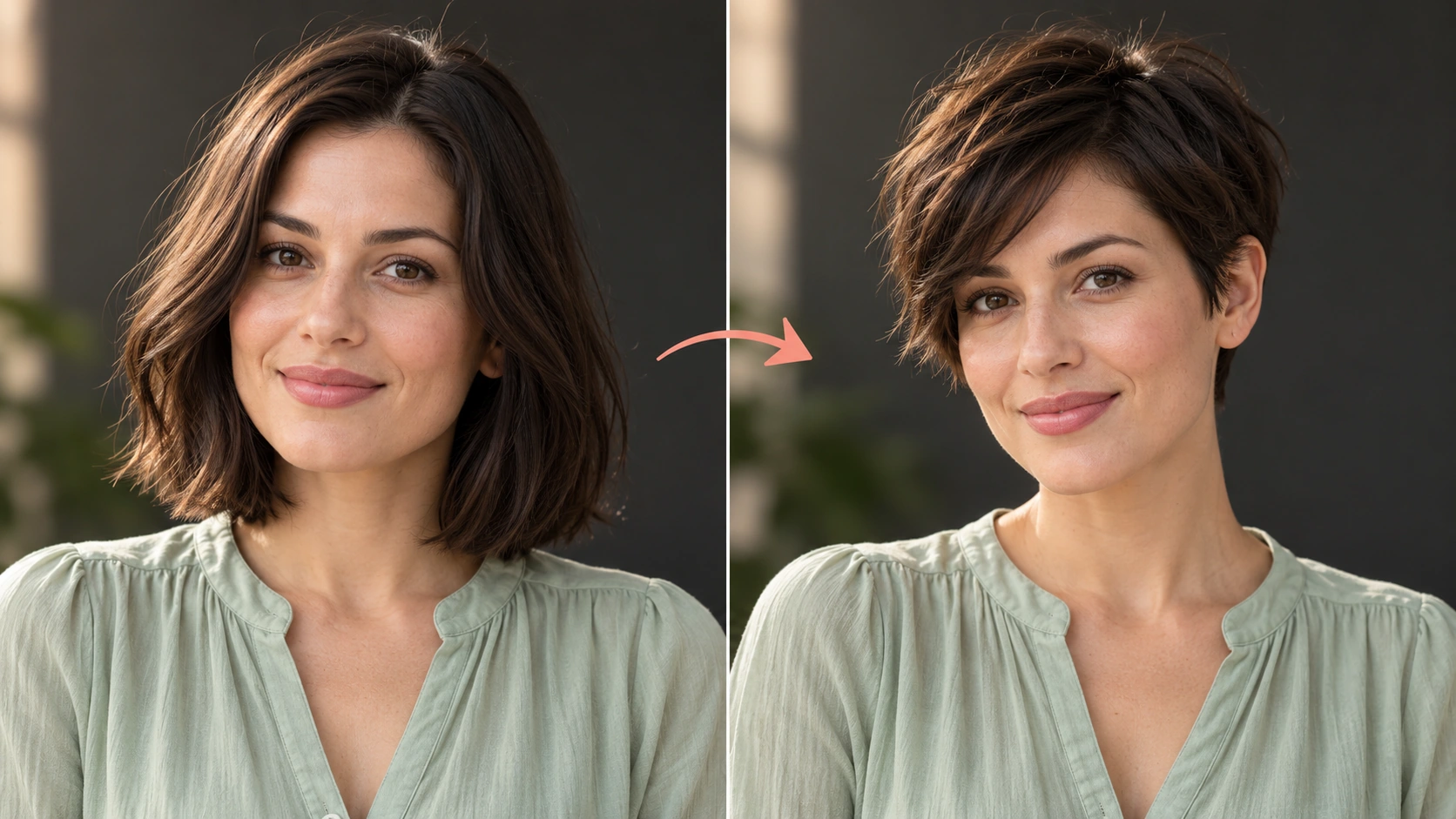
A visible hairline, jaw and upper neck help you judge the shorter outline.
Pick a sharp adult portrait with the complete scalp, ears, jaw and upper shoulders visible. Avoid heavy shadow at the temples. The outline around the head matters when long hair is replaced by a shorter cut.
Photograph the input straight-on with the hair pulled back so the tool can see the actual head shape and hairline.
Write the haircut as a shape and length, not a trend name — say where the fringe ends and how the sides sit.
Compare each new output with the previous one in History, changing one prompt element at a time.
Write a direction you can compare
Name the change first, then name the details that should stay. For this ai short hair filter request, keep face shape, expression, original hair color and the surrounding scene. A short, specific direction gives you a useful basis for comparing the next version.
Keep my face, expression, natural hair color, shirt and background. Change only the hair to a short textured pixie with a soft cropped fringe. Follow the original hairline and reveal a natural-looking ear and neckline.
Check the ear nearest the camera, the new neckline and the transition from fringe to forehead. Keep the original portrait beside the result to spot unintended facial changes. When you revise, keep the other inputs steady. That makes it easier to tell whether a wording change helped the image.
Credits, waiting and the next version
The quote belongs to the actual model and output settings selected in the generator. A different model, aspect ratio or available resolution may change the cost. Check the current amount where you generate, and use Pricing when you need to compare the site’s available purchase options. Any free-credit offer depends on the eligibility and terms shown there.
Once submitted, follow the existing task in History while it is queued or processing. The chosen model and current demand affect how long it takes; this guide does not set a fixed delivery time. Inspect the completed image at a useful size before paying for another version. If you want an adjustment, keep the original photo and describe the one change you need.
Short hair filter questions
Can I request a specific short cut?
Yes. Name the family in the prompt — pixie, bob, cropped fringe or textured cut — and describe where the length lands. Specificity about the fringe and nape helps more than a single style label alone.
What should the uploaded photo show?
An adult portrait with the face clearly visible and the hair not covering the jawline. Even light and a simple background give cleaner results, especially if you want the background preserved in the output.
Can I control the framing?
The prompt carries your art direction. Ask for tight headroom, a wider crop or a specific light direction. The available model controls let you adjust the run; not every photographic parameter is exposed, so describe the rest in words.
Is this a guaranteed salon result?
No. It is a visual try-on. The output approximates a short haircut on your portrait and is not a prediction of how a real cut will fall, grow out or suit you in person.
How do credits and accounts work?
You need an account to generate. A live credit quote appears before each job, so the cost is shown up front.
How can I make a useful second version?
Keep the original reference and the version you want to improve. Check the ear nearest the camera, the new neckline and the transition from fringe to forehead. Keep the original portrait beside the result to spot unintended facial changes. Change one part of the description, such as position, shape or light, so the next result answers a clear question.
Direct your short-hair portrait
Upload an adult portrait, write the haircut as a shot note, read the credit quote, then generate.