AI Wedding Dress Generator for Cinematic Bridal Concepts
Direct an imagined bridal portrait
A full-length portrait and clear silhouette brief create a focused bridal styling concept.
History
The answers before you start
What does this tool make? The AI Wedding Dress Generator turns a portrait and a styling brief into a bridal outfit concept. Define the neckline, sleeves, waist and skirt silhouette, then inspect how those choices work together in the image.
How do I start? Choose Image to Image for a photograph-led edit, upload the reference and describe one specific change. Text to Image starts from words and needs no uploaded image.
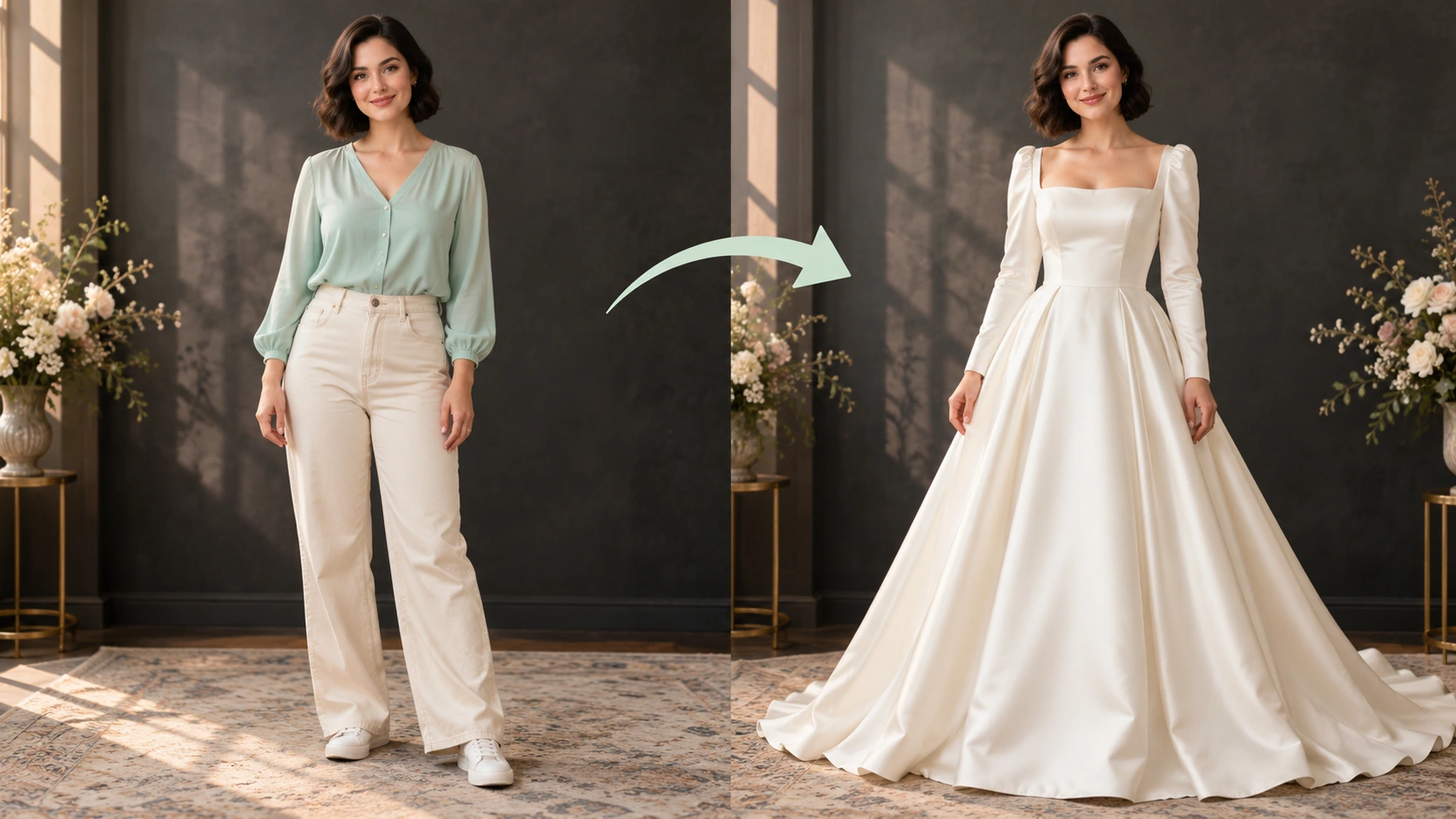
Which photo should I upload? Use a clear full-length adult portrait for a complete gown concept. Keep shoulders and waist visible, leave space around the skirt and include the feet. Simple clothing makes the new garment outline easier to judge.
Can I try it for free? You can read the guide and prepare the description before submitting. A generated image uses the quoted credits. Check your available balance and any current offer in the generator or Pricing before choosing to run it.
How much does a result cost? Use the live quote beside the generation action for this image. Changing the model or output settings can change that quote, so read it again before each new request.
When can I see the result? After submission, open History to follow the task. Queue demand, model and output settings affect completion. Preparing a photo or editing the description alone does not start a task.
The AI Wedding Dress Generator turns a portrait and a styling brief into a bridal outfit concept. Define the neckline, sleeves, waist and skirt silhouette, then inspect how those choices work together in the image. Use the nearby generator to prepare a focused version, then compare the result with your reference.
A full-length portrait and clear silhouette brief create a focused bridal styling concept.
1
Choose a clear portrait
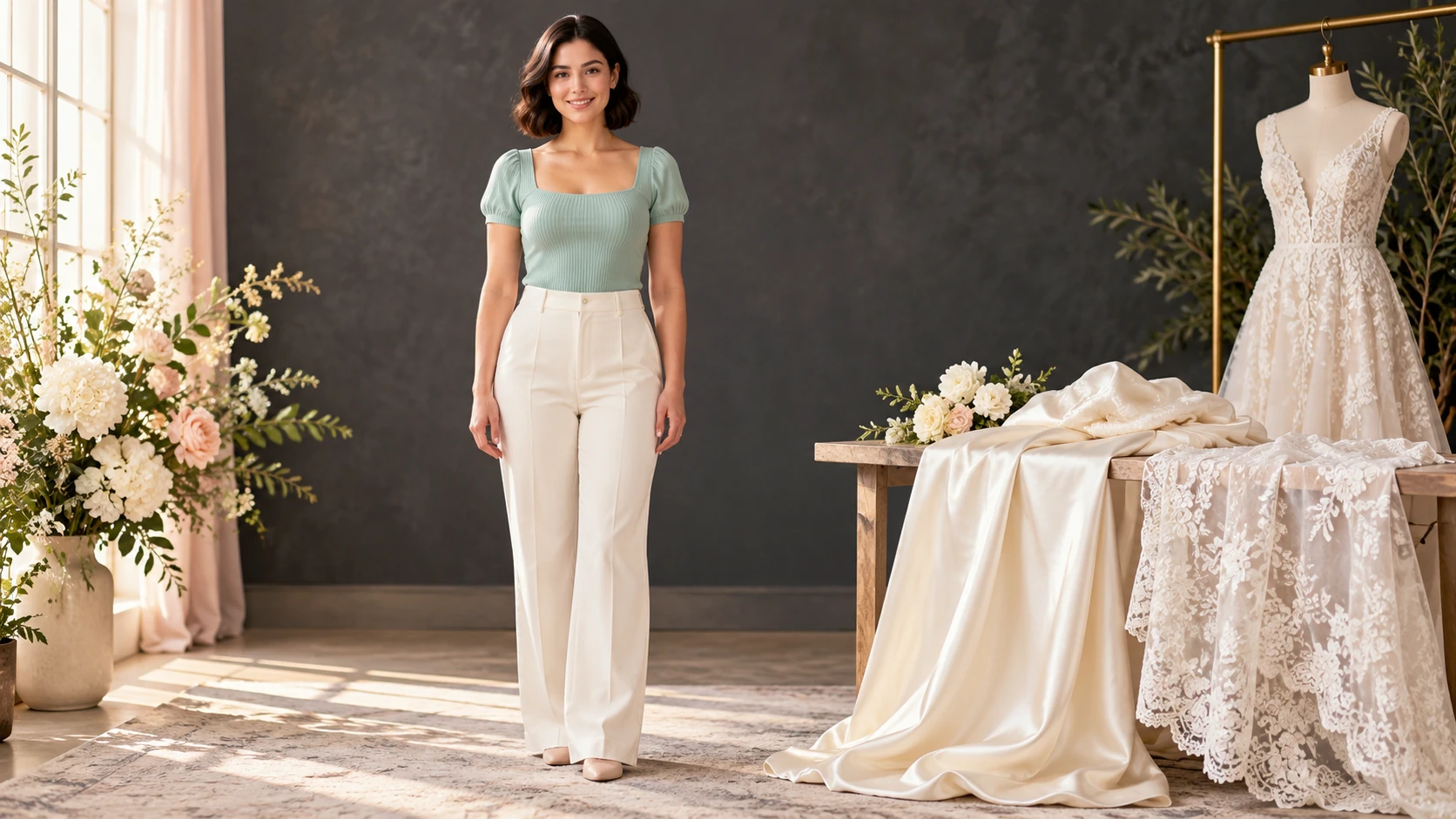
Upload an adult portrait with an unobstructed face and simple clothing. Front-facing or slight three-quarter angles give the most useful reference. Avoid heavy filters, cropped heads and busy backgrounds that compete with the imagined gown. Check that the image represents the person you have permission to use.
2
Write the direction
Describe silhouette, fabric, neckline and location in the editable prompt. Add lens, height and framing notes such as wide establishing shot, waist-up portrait or low angle. Use available model controls to support the look you want. Keep the gown description consistent with the portrait pose.
3
Quote, generate and review
A live credit quote appears before generation. Review it, then start the job and find the result in History after account login. Compare the frame against your brief: neckline, fabric drape, location and camera angle. Save useful directions for the next pass and adjust one variable at a time.
Keep the important details readable
Look at neckline symmetry, sleeve-to-shoulder joins, waist placement and the way the hem meets the ground. Use the image to discuss a style, not to infer garment measurements. For this direction, explicitly retain facial identity, pose and a realistic relationship between body and garment.
Scenarios for bridal art direction
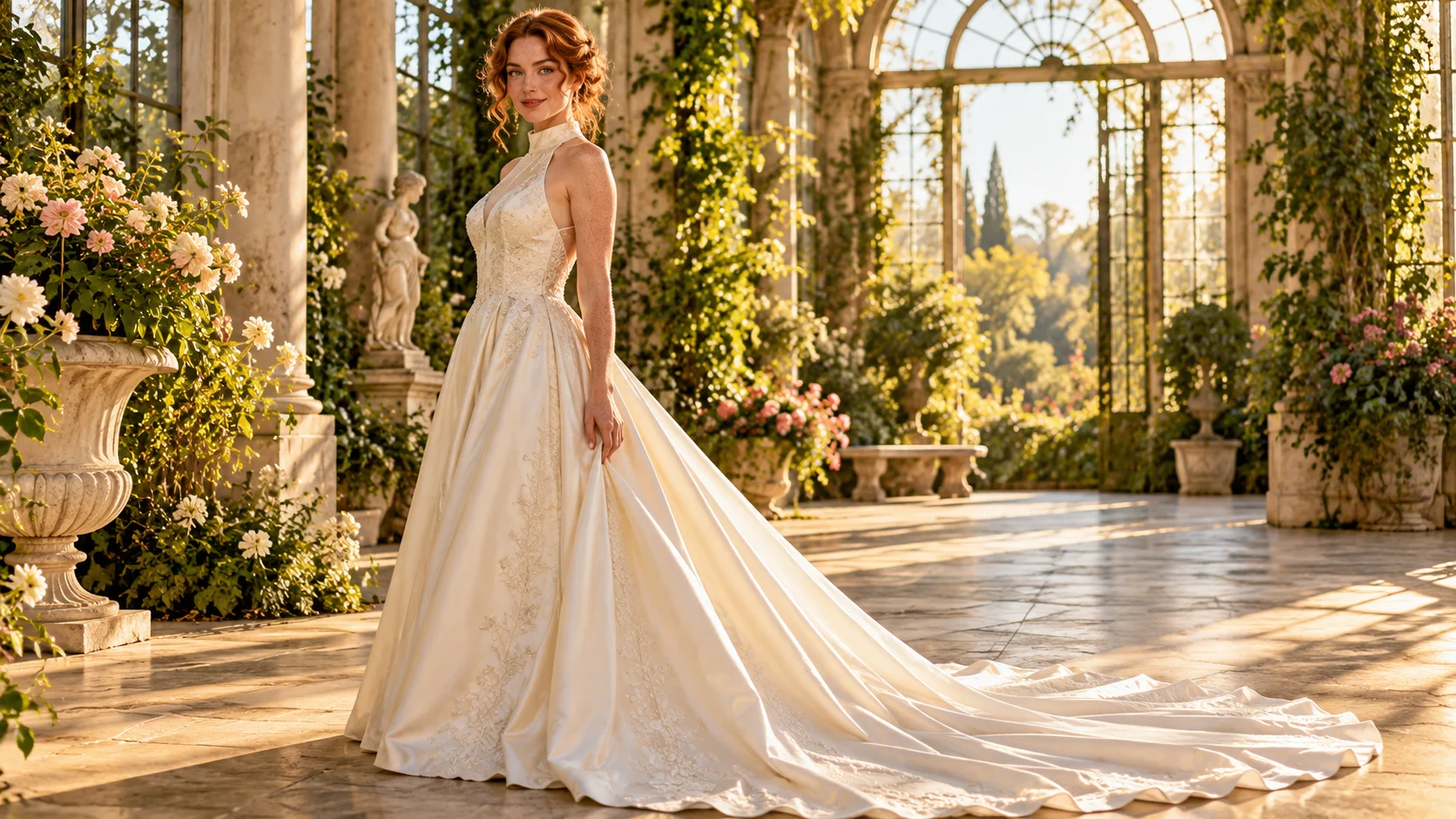
Neckline, sleeve and skirt choices should read as one coherent gown.
A moodboard establishing shot
Test a wide frame with the figure small in a tall doorway. Compare a long train against clean negative space. Use the result to discuss scale and setting before committing to a visual theme for a personal project.
A fabric comparison study
Keep pose and location fixed while changing fabric notes between structured silk and soft tulle. Review how each reads in the same light. This isolates one variable and makes the comparison easier to judge.
A neckline and portrait crop test
Try a high neckline with a tight waist-up crop, then a lower neckline with a fuller frame. See which combination suits the reference portrait and the intended editorial tone before developing the idea further.
Preparation and review notes
Show shoulders, waist and feet, with room for the planned skirt silhouette.
Use a clear full-length adult portrait for a complete gown concept. Keep shoulders and waist visible, leave space around the skirt and include the feet. Simple clothing makes the new garment outline easier to judge.
Write one sentence each for silhouette, fabric, neckline and location before opening the generator.
State camera height and framing explicitly, because default portrait crops can hide the gown.
Treat every image as a concept illustration and confirm real garment details with a qualified professional.
Write a direction you can compare
Name the change first, then name the details that should stay. For this ai wedding dress generator request, keep facial identity, pose and a realistic relationship between body and garment. A short, specific direction gives you a useful basis for comparing the next version.
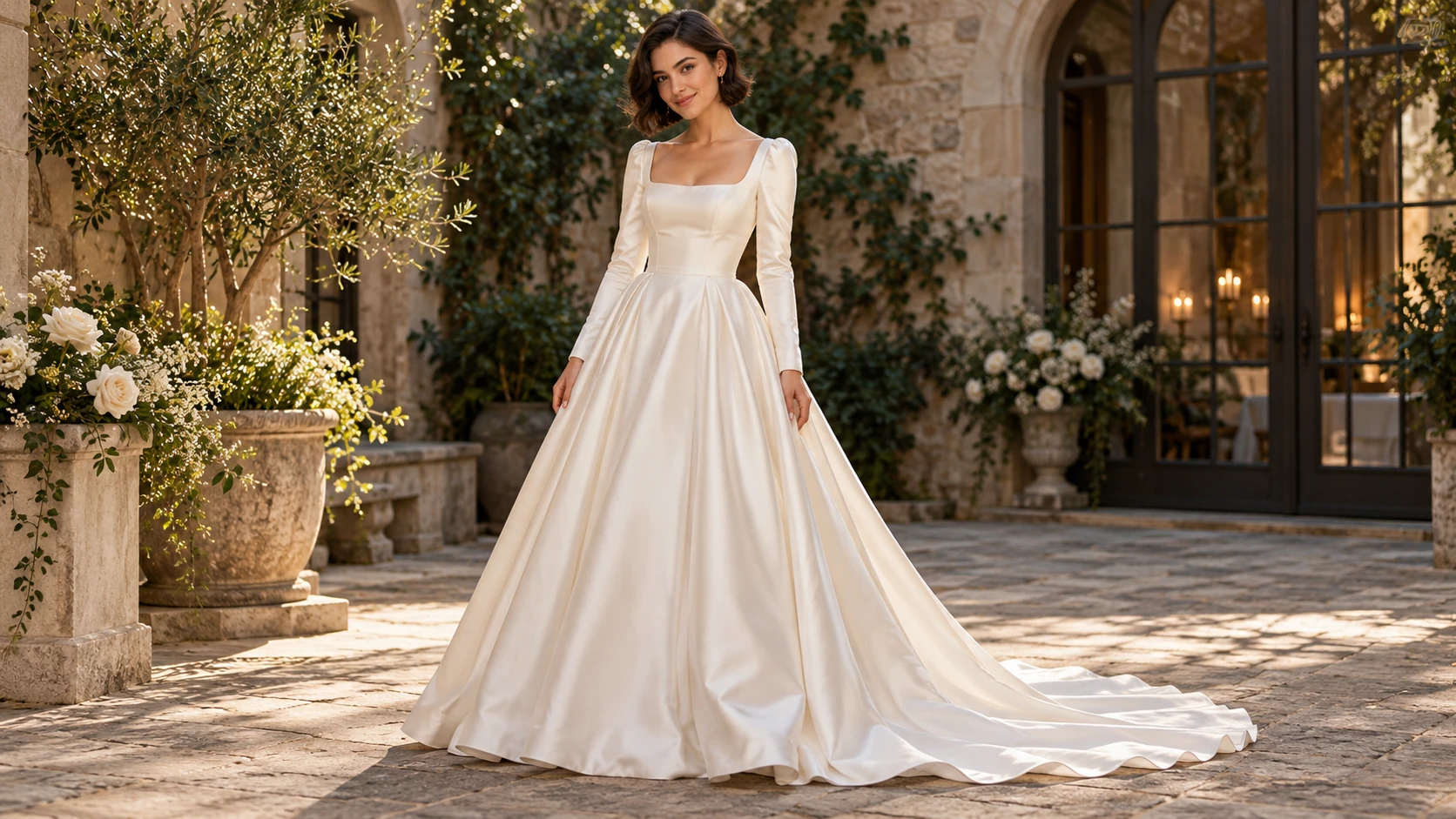
Preserve this adult face and relaxed pose. Imagine an ivory satin A-line wedding gown with a square neckline, long sleeves and a natural waist. Show the full skirt and subtle train in soft courtyard light.
Look at neckline symmetry, sleeve-to-shoulder joins, waist placement and the way the hem meets the ground. Use the image to discuss a style, not to infer garment measurements. When you revise, keep the other inputs steady. That makes it easier to tell whether a wording change helped the image.
Credits, waiting and the next version
The quote belongs to the actual model and output settings selected in the generator. A different model, aspect ratio or available resolution may change the cost. Check the current amount where you generate, and use Pricing when you need to compare the site’s available purchase options. Any free-credit offer depends on the eligibility and terms shown there.
Once submitted, follow the existing task in History while it is queued or processing. The chosen model and current demand affect how long it takes; this guide does not set a fixed delivery time. Inspect the completed image at a useful size before paying for another version. If you want an adjustment, keep the original photo and describe the one change you need.
AI wedding dress concept questions
What does the AI Wedding Dress Generator produce?
It produces an AI-generated concept image of an adult portrait dressed in an imagined wedding gown. You describe the gown and scene in the prompt. The output supports visual planning and discussion; it is not a garment sample, size measurement or fitting guarantee.
What kind of portrait should I upload?
Use an adult portrait you have permission to use. Choose a clear, well-lit face with minimal obstruction and simple clothing. Front or slight three-quarter views work well. Avoid extreme angles, heavy beauty filters and backgrounds that make the figure hard to read.
Can I control camera angle and composition?
Yes, through prompt direction and available model controls. Name the shot type, camera height, lens character and where the figure sits in the frame. Specific language such as low-angle full-length shot or wide environmental portrait gives the model clearer guidance than general mood words.
Will the gown match a real dress exactly?
No. The gown is imagined from your description. Fabric, trim and construction details are interpretive. Use the image to explore direction, not to confirm an exact retail item, measurement or fit. Verify real garments with the maker or retailer.
How do credits and accounts work?
Log in to generate and to keep jobs in History. A live credit quote appears before you start a generation. Review that quote each time, since direction and settings can affect it. No free allowance is implied here; use your account balance and quoted amount as the guide.
How can I make a useful second version?
Keep the original reference and the version you want to improve. Look at neckline symmetry, sleeve-to-shoulder joins, waist placement and the way the hem meets the ground. Use the image to discuss a style, not to infer garment measurements. Change one part of the description, such as position, shape or light, so the next result answers a clear question.
Set the frame for your bridal concept
Upload an adult portrait, describe the gown and camera angle, then check the live credit quote before generating.